Photopeg: Free Online Photo Editor for Everyone

Photopeg is a fast, simple, and powerful online photo editor that runs directly in your browser. No installation, no account, and no downloads.

Whether you want to crop a picture, adjust colors, or create social media visuals, Photopeg gives you all the essential tools in one clean workspace.

Start Editing Now
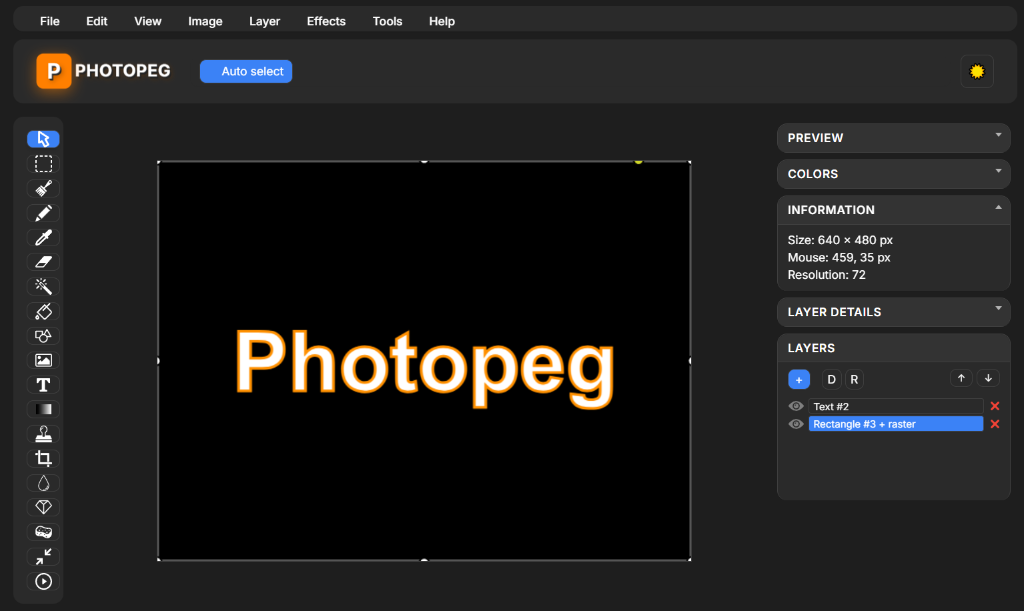
Photopeg Editor Interface

What Can You Do with Photopeg?

Basic Editing Tools

Essential tools for quick fixes, profile pictures, product photos, and social content.

  • Crop your images to any dimension
  • Resize while keeping proportions
  • Rotate and flip photos instantly
  • Cut, copy, paste, and transform selections
  • Zoom & pan for detailed control

Creative Drawing & Graphic Tools

Ideal for sketching ideas, adding notes, creating memes, or making thumbnails.

  • Brush & Pencil tools
  • Eraser & Shapes (rectangles, circles, arrows)
  • Text tool for titles or annotations
  • Fill bucket & Gradient fill
  • Color picker

Layers Support

Essential for clean, professional editing and non-destructive workflows.

  • Add / remove layers
  • Move layers up or down
  • Toggle visibility
  • Edit each layer separately

Filters & Adjustments

Retouch photos, adjust mood, and create unique visual styles.

  • Brightness, Contrast, Saturation, Hue
  • Blur, Sharpen
  • Grayscale, Invert, Colorize

Import & Export

Your edits stay inside your browser — nothing is uploaded to a server.

  • Open: PNG, JPG
  • Export: PNG, JPG
  • 100% Privacy Guaranteed

Why Photopeg?

100% Free

No subscriptions, no paywalls, no limits.

Fast & Lightweight

Loads instantly and works smoothly even on older computers.

🌐

Runs in Your Browser

No installation required. Works on Chrome, Firefox, Edge, and more.

🔒

Privacy-Friendly

All processing happens locally. Your images stay on your device.

Who is Photopeg For?

Students

Creators

Social Media Users

Graphic Beginners

Businesses

How to Use Photopeg

  1. Click “Launch Editor”
  2. Upload your image
  3. Edit using the tools on the left
  4. Add shapes, text, or filters
  5. Export your final design

That's it. Everything happens instantly, right inside your browser.

Explore More on Photopeg

We also offer tutorials, blog articles, and tips to help you get the most out of your editing workflow.

Start Editing Now

Photopeg is simple, fast, and free — designed for everyone.

Launch Editor